
Nobody chooses a patchwork of tools on purpose. It grows, one sensible decision at a time. You buy a CRM because follow-ups were slipping. You add an inventory app because the stock register stopped coping. Accounts has always run in Tally, and planning lives in a spreadsheet the one planner understands. Each tool was the right call the day you bought it. And then, quietly, the cost stops being in any of the tools and starts living in the space between them — in the re-keying, the reconciling, and the questions no single system can answer. This guide is about recognising that moment honestly, and knowing what to do about it.
It is written for the owner or manager weighing up whether to consolidate — not a sales pitch that says everyone needs ERP tomorrow, because they don't. Sometimes best-of-breed is the right answer for a while. The aim here is to give you a clear-eyed way to tell when it stops being the right answer, and a low-risk path to move when it does. For the wider context, our guide to what manufacturing ERP is covers the modules and the one-database principle in depth.
Best-of-breed tools are not the enemy. A specialist app can out-feature any single ERP module on its own narrow ground. The question is never "which tool is best?" — it is "where do my problems actually live?" When they live inside one function, buy the best tool for it. When they live between functions, that is when one integrated system starts to win.
1. When a patchwork of standalone tools stops scaling
A collection of separate tools works well up to a point, and the point is predictable: it holds while each function can be run in isolation, and it breaks when your processes start crossing functions faster than people can bridge them by hand. The signs are consistent across manufacturers:
- The same fact lives in several places and they disagree. An item is one code in the inventory app, another in the purchase sheet, a third in Tally. On-hand in the stock tool and stock in reality parted ways weeks ago. Which number is right depends on who you ask.
- Cross-functional questions take an afternoon. "What did we bill this customer versus what they ordered?" or "How much of this PO is still pending?" require someone to open three files and reconcile by hand — so they are asked rarely and answered late.
- Status is a phone call. Is the order dispatched? Is the material inspected? Is the supplier paid? With the truth split across tools, the only reliable answer is to ask the person who holds that piece in their head.
- The business runs on one or two irreplaceable people. The planner who understands the spreadsheet, the accountant who knows which Tally entries match which dispatch. When they are on leave, the seams show.
- An audit exposes the gaps. When a customer or statutory auditor asks to trace a finished lot back to its raw-material receipt and inspection, a stack of exports is not a record, and assembling the chain retroactively is both painful and visible.
None of these is a crisis on its own. That is exactly why the patchwork survives longer than it should — it degrades gradually, and everyone adapts to the friction until adapting to it is most of the job.
2. The hidden cost of re-keying and disconnected data
The clearest way to see the real cost is to follow one order through a patchwork. It is entered into the CRM when it is won. It is typed again into a spreadsheet to plan production. Material shortages are typed into a purchase sheet. A dispatch note is written in the stores register. The invoice is typed into Tally. And the payment, when it comes, is matched to the invoice by hand — if at all. One order, entered five times. Multiply by every order you take.
That re-keying costs three distinct things, and it is worth naming them because they are easy to underestimate:
- Every re-entry is paid labour spent copying, not creating
- Reconciling two systems at month-end is a recurring tax on the same staff
- The effort grows linearly with volume — it never gets cheaper per order
- Each re-key can transpose a quantity, a rate or a tax code
- The copies drift until no one knows which is authoritative
- Errors surface late — in a dispute, an audit or a stock-out
- Split data means no system can answer cross-functional questions
- Order-vs-invoice, committed-vs-received simply can't be computed
- So the useful questions stop being asked at all
Notice that the third cost — blindness — is the one that never appears on any invoice or timesheet, and is the most expensive. A business that cannot see its own order-to-cash and procure-to-pay position in one place is making decisions half-blind, and no amount of individually excellent tools fixes that, because the blindness lives precisely where the tools don't meet.
3. What one integrated ERP on one database actually fixes
The fix is not "a better tool for each job". It is a change of shape: instead of many databases stitched together by people, one database that every function reads and writes. When that holds, the three costs above don't get reduced — they largely disappear, because the thing that caused them is gone.
| Aspect | Standalone patchwork | One integrated ERP |
|---|---|---|
| Masters | An item and a customer exist differently in each tool | Defined once; every module uses the same master |
| Data entry | The same order keyed into several systems | Entered once; each document builds from the last |
| Stock | The inventory tool and reality drift apart | One stock ledger every movement posts to — live |
| Accounts | Invoices re-typed into Tally, matched by hand | Dispatch and receipt post to accounts and Tally |
| Reporting | Cross-function answers reconciled manually | Order-vs-invoice, committed-vs-received are live reports |
| Traceability | Broken at every tool boundary | One chain — complaint back to raw-material receipt |
This is what a manufacturing ERP is: sales and CRM, purchase, inventory, production and planning, quality, accounts and HR, all reading and writing one set of masters, one stock ledger and one accounts ledger. A won order drives the BOM and the plan. A goods receipt updates stock and queues a supplier bill. A dispatch decrements stock and becomes an invoice that posts to Tally. None of these are integrations that run overnight and sometimes fail — they are consequences of the data living in one place. Our quote-to-cash and procure-to-pay guides walk those two chains end to end.
4. The phased path — start with one module, expand with no migration
Here is the objection everyone raises, and rightly: "moving to ERP is a huge, risky, rip-and-replace project." It can be — if you buy a monolith and switch the whole business over one weekend. But it does not have to be, and the reason is specific to how Fast ERP is built.
Fast ERP is the full superset of the Improsys platform, and the eleven other Fast products — for inventory, purchase-led billing, CRM, production, planning, quality, WMS and more — are not separate systems. They are profiles of the same codebase, each with a subset of the menu enabled, over the same database. That single fact changes the whole migration story:
- Start narrow. Begin with the one function that hurts most — inventory, or purchase, or the shop floor, or billing — running as that focused profile of the platform.
- Expand by enabling, not migrating. When you are ready to add purchase, or quality, or accounts, you switch on those modules in the menu and licensing. The data is already on the same database — there is nothing to export from one product and import into another.
- Grow into the full superset. Over time the focused profile becomes full ERP, at the pace your team can absorb, without a big-bang cutover and without the classic ERP failure mode of trying to do everything at once.
This is the honest advantage of adopting a platform rather than assembling point tools: the expansion path is built in. You are not committing to boil the ocean on day one; you are committing to a system that grows with you and never asks you to migrate away from yourself.
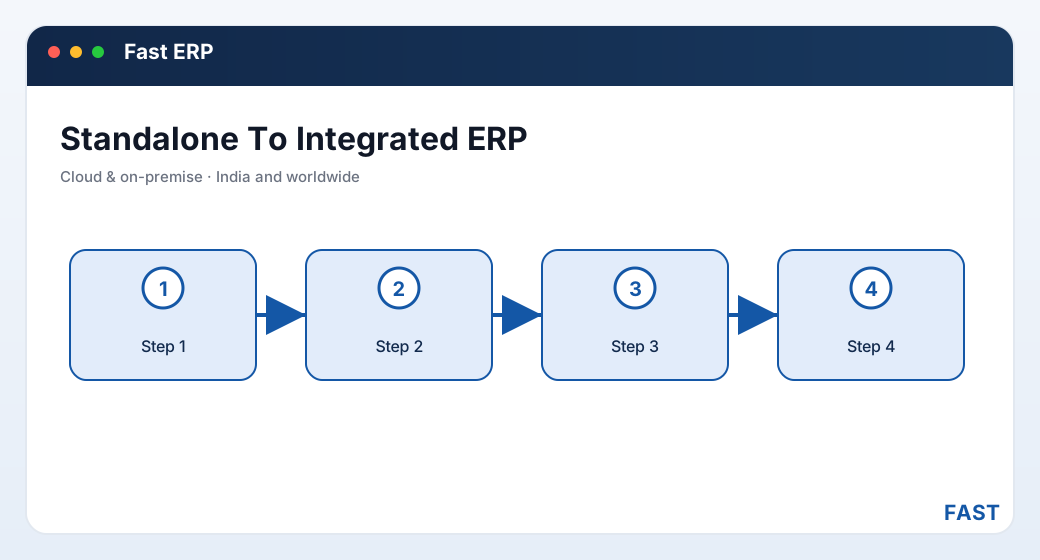
The move is a phase change, not a rip-and-replace: because the modules are profiles of one platform, expanding from one to all is enabling menu, not migrating data.
5. Cloud vs on-premise — a choice, not a fork
One more decision comes up whenever consolidation is on the table: where does the single system run? Fast ERP offers both cloud and on-premise, and the important thing to understand is that this is a deployment choice, not a product fork — you get the same modules, the same screens and the same data model either way.
On-premise keeps the application and its SQL Server database inside your own network, on your own IIS server. It suits businesses with data-residency requirements, an existing server room, or patchy internet where local hosting is simply more reliable. Cloud hosts the identical system for you, so a user needs only a browser and a connection, and there is no server for your team to patch or back up. Because it is the same software, you can start on one and move to the other later without changing how you work. The choice is about who operates the server and where you want your data to live — not about capability.
6. A decision checklist — are you ready to consolidate?
Score yourself honestly against these. The more that ring true, the more the balance has tipped from "best-of-breed is fine" to "the patchwork is now the problem."
- Does a won order need to drive production and purchase, not just sit in a CRM?
- Does a goods receipt need to update stock and queue a supplier bill at once?
- If most of your pain is between tools, not inside them, consolidation wins.
- Add up the hours spent re-keying and reconciling systems each month
- Count the month-end effort just to make two tools agree
- If it is a meaningful share of a salary, it is buying you nothing
- Order-vs-invoice by customer, committed-vs-received by supplier — in minutes?
- Live on-hand stock you would trust without a physical count?
- If these need a manual afternoon, you are running half-blind
- Can you trace a finished lot back to its raw-material receipt and inspection?
- Is your quality record one chain, or scattered across drives and tools?
- For IATF-16949 and similar, broken traceability is a finding waiting to happen
- Is critical status held in one planner's or accountant's head?
- Do things stall when a key person is on leave?
- A shared system turns private knowledge into a company asset
- Can you start with the one module that hurts most?
- Can you expand later by enabling modules, not migrating data?
- With a platform like Fast ERP, the answer is yes — that lowers the risk
7. Common traps when moving to one system
Consolidation goes wrong in a few predictable ways. Knowing them up front is most of avoiding them.
- The big-bang cutover. Switching every function on one weekend maximises risk and disruption. The phased path — one module, then the next — exists precisely to avoid this, so use it.
- Dirty masters carried over. If your item and party data is duplicated and inconsistent today, cleaning it is part of the move, not an afterthought. One clean item master is the foundation everything else stands on.
- Chasing feature parity with every old tool. A specialist app will always have niche features the ERP module doesn't. Insisting on matching every one of them, in every module, stalls the project. Judge the integrated whole, not each part against its old point tool.
- Skipping the process rethink. Moving a broken manual process into software just makes it a faster broken process. Consolidation is the moment to fix the workflow, not to encode the workaround.
- Leaving the accountant behind. In India the statutory books live in Tally, and that is fine. The trap is treating ERP and Tally as rivals. Fast ERP posts to Tally on both sides, so the accountant keeps their tool and stops re-typing.
8. How Fast ERP makes the move
Fast ERP is the full superset of the Improsys platform — every module switched on, over one SQL Server database — built in Pune by Improsys under the Fast Technology brand, and used by manufacturing businesses of every kind across India and worldwide. What makes it a low-risk destination for a consolidation is precisely that the other Fast products are profiles of the same system, so the move is additive rather than a migration.
| Concern | How Fast ERP addresses it |
|---|---|
| Big-bang risk | Start with one module — inventory, purchase, sales, billing or the shop floor — and expand by enabling menu and licensing, because it is one platform. No product-to-product migration. |
| One source of truth | Shared item, party, stock and accounts masters across every module, so a fact is defined once and used everywhere. See the one-database principle. |
| Cross-function flow | Order Acceptance drives BOM and plan; GRN updates stock and queues a supplier bill; dispatch becomes an invoice — all on one database. See Sales, Purchase and Inventory. |
| Deployment | Cloud or on-premise, same software; move between them without changing how you work. |
| Statutory fit | GST master, HSN, C-Form and amount-in-words, with two-way Tally posting, so accounts keeps its tool. See Accounts, GST & Finance. |
| Visibility | Role dashboards and management MIS over live data, plus Dhruv AI for plain-English questions answered in a read-only sandbox. |
Start with the module that hurts most. Expand to full ERP by enabling menu, not by migrating data.
Because the eleven other Fast products are profiles of the same codebase over the same database, moving from a standalone tool to Fast ERP — and later from one Fast module to the full superset — is additive. You consolidate at the pace your team can absorb, with one item master, one stock ledger and one accounts ledger underneath the whole time, cloud or on-premise, for manufacturing businesses of every kind across India and worldwide.
9. Frequently asked questions
See what one system looks like on your own workflow
A 30-minute demo — start with the module that hurts most, and see how it grows into full ERP with no migration. No generic slideshow.