
Ask a growing manufacturer where their business data lives and you will usually get a list, not an answer. Orders are in one spreadsheet, the quotation history in another, purchase in a third; stock is in an inventory tool that nobody trusts by Thursday; the accountant runs Tally in the back office and re-types every invoice by hand; and quality records sit in a folder on one engineer's laptop. Each tool is fine on its own. The problem is the space between them — the re-keying, the numbers that disagree, and the questions no single system can answer. Manufacturing ERP exists to close that space.
This guide is written for the person weighing up the decision — an owner, plant head or finance manager deciding whether to move from a patchwork of tools to one system, and what to demand from a vendor. It explains what manufacturing ERP actually does, module by module, the principle that makes it more than the sum of its parts, and how Fast ERP Software implements each piece. If you want the underlying concept first — what ERP is as an idea, independent of any product — start with our pillar guide, What is ERP software?, and come back here to compare the manufacturing specifics.
The Learn Hub pillar guide explains ERP as a concept — the single-database idea, the vocabulary, the modules, and why integration beats a best-of-breed patchwork. This article assumes you already know you need one system and focuses on the manufacturing decision: what the modules do, how they interlock, and what to check before you sign.
1. What is manufacturing ERP software?
ERP stands for enterprise resource planning, but the plain-English version is more useful: it is one application, over one database, that runs the whole commercial and operational lifecycle of your business — and manufacturing ERP is the version tuned for a plant that buys material, makes things and ships them. It does not just store your data; it moves the work forward. A customer enquiry becomes a quotation, an order, a dispatch and an invoice. A shortage becomes a purchase estimate, a requisition, a purchase order, a goods receipt and a supplier bill. A released order explodes a Bill of Materials, drives a material plan, opens work orders, gates inspection, and transfers finished goods back into stock.
The defining feature is not any single screen — it is that every one of those steps is the same numbered, owned, dated document type, and every module reads and writes the same item master, the same party master and the same stock ledger. There is no export, no import, no "let me reconcile the two systems tonight". When the store keeper posts a goods receipt, purchase sees it, accounts sees it, and stock updates — because there is only one place for it to update.
Concretely, a manufacturing ERP gives you:
- One record of every transaction — an order, a PO, an invoice and a stock movement are all header/line documents with a status trail, not rows scattered across four spreadsheets
- One set of masters — items, parties (customers and suppliers), accounts, tax and units are defined once and used everywhere, so a part number means the same thing to sales, purchase, stores and accounts
- One stock ledger — every receipt, transfer, issue, WIP posting, finished-goods transfer and dispatch posts to the same store, so on-hand is a live number rather than a monthly guess
- One financial close — dispatch and invoice on the sales side, goods receipt and supplier bill on the purchase side, both flowing to the same accounts and to Tally
- One audit trail — who did what, when, on which document, for the customer auditor and the internal review alike
Fast ERP is the full superset of the Improsys platform with every module switched on — sales and CRM, purchase, inventory and stores, production and planning, quality and APQP, accounts and finance, HR, document control and admin — over one SQL Server database. The eleven other Fast products are simply profiles of this same system with a subset of the menu enabled, which is why you can start narrow and grow without ever migrating.
2. Why disconnected systems and spreadsheets quietly fail
Almost nobody starts with ERP. Businesses start with what is at hand: spreadsheets for orders and planning, a standalone inventory app, Tally for accounts, a CRM for follow-ups, and a shared drive for drawings and quality records. It works — until volume, staff turnover or a customer audit exposes the seams. The failure modes are consistent enough to list:
- The same data, entered three times. An order typed into the sales sheet is re-typed to raise a dispatch, and re-typed again into Tally to raise the invoice. Every re-key is a chance to transpose a quantity, a rate or a tax code — and the three copies drift apart.
- Stock that lies. A standalone inventory tool that does not know an order was accepted cannot reserve material against it, and a spreadsheet cannot tell reserved stock from issued stock. On-hand looks fine until two jobs try to draw the same steel.
- Questions nobody can answer quickly. "What did we bill this customer this year versus what we ordered?" or "How much of this PO is still pending?" require someone to open three files and reconcile them by hand — so the questions simply stop being asked.
- No single status. Is that order dispatched? Half. Is that PO received? Partly. With the truth split across tools, the answer always requires a phone call, and the phone call is only as reliable as the person who picks up.
- Audit pain. When an auditor asks to trace a finished lot back to the raw-material receipt and the incoming inspection, a stack of spreadsheets and a Tally export is not a record. Assembling the chain retroactively is miserable — and visible.
- No shared masters. The item is "MS Plate 10mm" in the stock tool, "10 mm MS plate" in the purchase sheet and a different code in Tally. Reporting across them is impossible without a manual mapping that breaks the moment someone adds a new item.
None of this fails loudly. That is what makes it dangerous. A patchwork of tools never sends you a report saying the sales sheet and Tally disagree by two invoices, that material is double-committed, or that a supplier has been paid twice against one goods receipt. The cost is real but invisible, and it grows with every order you add.
3. The core module map — what an ERP joins together
Whatever the vendor, a manufacturing ERP is a set of modules wired around a shared spine of masters, one stock ledger and one accounts ledger. What the ERP does is make each step of the business explicit and owned, and — critically — let the output of one module become the input of the next with nothing re-entered. Here is the lifecycle end to end.
| # | Module / step | What the ERP does |
|---|---|---|
1 | Masters | Items, parties (customers and suppliers), accounts, tax, HSN and units are defined once. Every document downstream binds to these, so a part number and a party mean the same thing everywhere. |
2 | Sales / CRM | An enquiry is followed up, a quotation raised and compared, and an Order Acceptance (OA) created and approved. The released OA is the hub that drives everything downstream. |
3 | Production / planning | The released order explodes its BOM and Bill of Resources, feeds a material and component plan (MRP), and opens work orders that run through process/route sheets to WIP and finished goods. |
4 | Purchase | Shortages become a purchase estimate, then a requisition, checked and approved into a purchase order, followed up to a goods receipt and a matched supplier bill. |
5 | Inventory / stores | Every receipt, transfer, issue, WIP, finished-goods transfer and dispatch posts to one store engine, with lots, per-bin stock, valuation and ABC analysis on top. |
6 | Quality / APQP | Receipt inspection gates incoming stock; in-process and pre-dispatch inspection gate outgoing goods; NCRs, 8D and gauge calibration keep the quality system auditable. |
7 | Dispatch & invoice | Pre-dispatch inspection, a delivery challan and a GST invoice with amount-in-words, then an order-vs-invoice reconciliation so what was billed matches what was ordered. |
8 | Accounts / finance | Vouchers, payments and receipts, GST and C-Form, budgets and the balance sheet — with sales and purchase both posting to Tally so the statutory books stay in step. |
9 | HR & documents | Employee master, shifts and categories; controlled drawings, PPAP packages and control plans attached to items and quality records, with version control. |
10 | Dashboards & MIS | Role dashboards and management reports read the live data across every module above, so the plant head and the accountant see one version of the truth. |
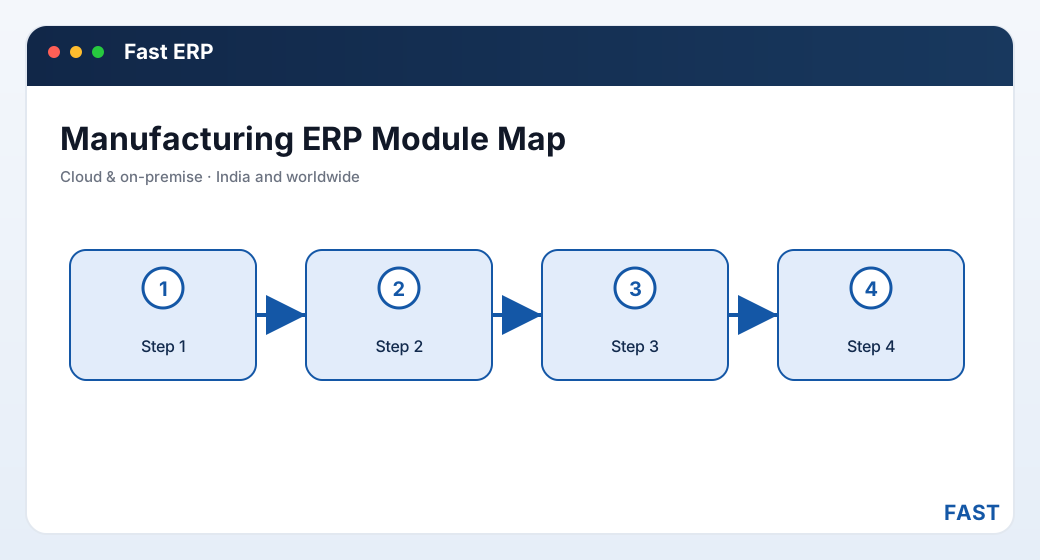
The modules are spokes on one hub. What makes it an ERP rather than a bundle of apps is that every spoke reads and writes the same central masters, stock ledger and accounts.
4. The module-by-module checklist
Feature lists blur together quickly. These are the eight module areas that decide whether a product can actually run a manufacturing business end to end — use them as your evaluation checklist and insist on seeing each one wired to the next.
- Enquiry → quotation → Order Acceptance → dispatch → invoice
- Quotation comparison and approval
- Complaint / service tickets with telephony
- PE → PR → PO → GRN → supplier bill
- PR against BOM, stock or reorder level
- Receipt inspection and PO follow-up
- Receipt, transfer, issue, WIP, FG on one engine
- Lots / pallets, per-bin stock, valuation
- ABC, non/slow-moving and stock MIS
- Multi-level BOM / Bill of Resources, ECN control
- MRP — sales, component and raw-material plans
- Work orders, process sheets, WIP → FG, rework
- Receipt, in-process and pre-dispatch inspection
- Gauge calibration, MSA, control plans, FMEA
- NCR, 8D and root-cause for IATF-16949
- Vouchers, payments, receipts, balance sheet
- GST master, HSN, C-Form, amount-in-words
- Two-way Tally posting on sales and purchase
- Employee master, categories and shifts
- Attendance and workforce MIS
- Roles feeding the same access control
- Controlled drawings, PPAP, control plans
- Attached to items and quality records
- Version and status with an audit trail
Alongside these eight, check the integration discipline: does an accepted order actually reserve stock and drive a BOM without re-entry? Does a goods receipt actually update stock and queue a supplier bill? A product where the modules exist but do not talk is not an ERP — it is a suite of apps sharing a login, and you will still be reconciling by hand.
5. The one-database, one-ledger principle
If there is a single idea that separates real ERP from a bundle of tools, it is this: there is exactly one place each fact lives. One item master. One party master. One stock ledger that every physical movement posts to. One accounts ledger that every financial event posts to. When that holds, integration is not a feature you buy or a nightly job that sometimes fails — it is simply a consequence of the data model.
Consider what "one stock ledger" buys you. When purchase posts a goods receipt, stock rises. When production issues material to a work order, stock falls. When finished goods transfer in, stock rises again; when dispatch goes out, it falls. Because all of these post to the same store, on-hand is always live and always reconciled — inventory valuation reflects every module automatically, and no one has to "sync" anything. The same is true of the accounts ledger: a dispatch becomes an invoice becomes a receipt on the sales side, and a goods receipt becomes a supplier bill becomes a payment on the purchase side, both landing in the same books.
This is also what makes traceability possible rather than aspirational. Because the order, the BOM, the work order, the material issue, the inspection, the finished lot, the dispatch and the invoice are all documents on one database stitched by shared references, you can walk the chain in either direction: from a customer complaint back to the raw-material receipt and its incoming inspection, or forward from a supplier's rejected lot to every order it touched. In a patchwork, that chain is broken at every tool boundary. In an ERP, it is one query.
6. ERP vs MES vs accounting-only software
Buyers often discover mid-evaluation that "ERP", "MES" and "accounting software" are answering different questions at different altitudes. They overlap, and the confusion is understandable — but the distinction matters when you are deciding what to buy.
| Aspect | Manufacturing ERP | MES / accounting-only |
|---|---|---|
| Scope | The whole business — sales, purchase, stock, production, quality, accounts, HR | MES: the shop floor only. Accounting: the books only |
| Core question | How does the whole order-to-cash and procure-to-pay cycle run? | MES: how is this job being made? Accounting: what do the books say? |
| Data model | One database, shared masters and ledgers across every function | Its own database; joins to other tools by export/import |
| Stock & costing | Live stock ledger and costing spanning purchase, production and sales | MES: WIP only. Accounting: values what someone re-keys |
| Where it fits | The system of record for the business | A specialist slice that an ERP contains and connects |
The point is not that ERP replaces the discipline of an MES or the rigour of an accounting package — it is that it contains both and joins them to everything else on one database. In Fast ERP the shop-floor execution layer (work orders, material issue, WIP, rejection and rework) and the accounts layer (vouchers, GST, Tally posting) are not integrations bolted on — they are modules of the same application, so a work order draws against the same stock inventory keeps, and a dispatch posts to the same books accounts closes. If today you only need the shop floor or only the accounts, that is fine — but choosing an ERP platform means you can switch on the rest later without a migration.
7. Cloud vs on-premise, and the GST & Tally question
Two practical questions come up in almost every evaluation in India: where does it run, and does it fit our statutory reality?
Cloud or on-premise
Fast ERP runs both ways, and the choice is about who operates the server, not about which features you get. On-premise keeps the application and its SQL Server database inside your own network, on your own IIS server — favoured where data residency, an existing server room, or intermittent internet make local hosting the safer bet. Cloud hosts the identical application and database for you, so a user needs only a browser and a connection, and there is no server for your team to patch and back up. The modules, the screens and the data model are the same either way; you can start on one and move to the other, because it is the same software.
GST, HSN and amount-in-words
An ERP sold into Indian manufacturing has to speak the statutory language natively, not as an afterthought. Fast ERP carries a GST master with HSN import, C-Form handling, e-way-bill data and amount-in-words on every invoice, so a GST invoice is a first-class document rather than a spreadsheet template. See accounts, GST & finance for the detail.
Working with Tally, not against it
Most Indian businesses run their statutory books in Tally, and their accountant is not going to give that up — nor should they have to. Fast ERP posts to Tally ERP 9 or TallyPrime on both sides: a goods receipt becomes a purchase voucher, a dispatch or invoice becomes a sales voucher, and stock adjustments become journals. The operational system runs the business and the statutory books stay in step, with no second round of data entry and no argument about which number is right.
8. What to look for — and how Fast ERP does it
Most demos look good. The differences show up in the joins between modules, so evaluate against your own end-to-end flow rather than the vendor's happy path. Ask specifically: does an accepted order drive the BOM and the plan? Does a goods receipt update stock and queue a supplier bill? Does an invoice reconcile back to the order? Does inspection actually gate stock, not just record a note? Fast ERP Software — the full superset of the Improsys platform, built in Pune by Improsys under the Fast Technology brand — runs each of these with real, named screens you will see in a demo.
| Capability | How Fast ERP Software does it |
|---|---|
| Quote-to-cash | Enquiry follow-up, quotation comparison and approval, Order Acceptance, pre-dispatch inspection, delivery challan, GST invoice with amount-in-words, and an order-vs-invoice reconciliation. See Sales & CRM and our quote-to-cash guide. |
| Procure-to-pay | Purchase estimate by category, requisition against BOM/stock/reorder, check and approval, purchase order and follow-up, goods receipt, receipt inspection, and a supplier bill matched to the GRN and PO. See Purchase and our procure-to-pay guide. |
| Inventory | One store engine for receipt, transfer, issue, WIP, finished-goods and dispatch, with lots, per-bin stock, valuation and ABC analysis. See Inventory & Stores. |
| Production & planning | Multi-level BOM and Bill of Resources with ECN control, MRP for sales/component/raw-material plans, work orders, process sheets, WIP to finished goods, and rework. See Production & Planning. |
| Quality & APQP | Receipt, in-process and pre-dispatch inspection; gauge calibration, control plans, FMEA; NCR, 8D and root-cause — the deep IATF-16949 stack. See Quality & APQP. |
| Accounts & analytics | Vouchers, GST, C-Form, payments and the balance sheet with two-way Tally posting; and Dhruv AI adds role dashboards over live ERP data, plain-English questions answered in a read-only sandbox, and clustering of quality remarks into recurring themes. |
One platform for the whole business. Start with one module, grow into full ERP — no migration.
Fast ERP is the entire Improsys platform with every module switched on, over one SQL Server database — quote-to-cash, procure-to-pay, inventory, BOM and production, APQP quality, accounts, GST and Tally. The eleven other Fast products are profiles of this same codebase, so you can start narrow and switch on the rest later by enabling menu, not by migrating data.
9. Frequently asked questions
See the whole business on one platform
A 30-minute demo — your order, your purchase, your stock and your GST invoice walked live on screen. No generic slideshow.